mirror of
https://github.com/LazyVim/LazyVim.git
synced 2026-03-10 09:27:25 +00:00
 d27e7adb53
Added Polish translation of README (README-PL.md): <div align="center"> <img src="https://user-images.githubusercontent.com/292349/213446185-2db63fd5-8c84-459c-9f04-e286382d6e80.png"> </div> <hr> <h4 align="center"> <a href="https://lazyvim.github.io/installation">Install</a> · <a href="https://lazyvim.github.io/configuration">Configure</a> · <a href="https://lazyvim.github.io">Docs</a> </h4> <div align="center"><p> <a href="https://github.com/LazyVim/LazyVim/releases/latest"> <img alt="Latest release" src="https://img.shields.io/github/v/release/LazyVim/LazyVim?style=for-the-badge&logo=starship&color=C9CBFF&logoColor=D9E0EE&labelColor=302D41&include_prerelease&sort=semver" /> </a> <a href="https://github.com/LazyVim/LazyVim/pulse"> <img alt="Last commit" src="https://img.shields.io/github/last-commit/LazyVim/LazyVim?style=for-the-badge&logo=starship&color=8bd5ca&logoColor=D9E0EE&labelColor=302D41"/> </a> <a href="https://github.com/LazyVim/LazyVim/blob/main/LICENSE"> <img alt="License" src="https://img.shields.io/github/license/LazyVim/LazyVim?style=for-the-badge&logo=starship&color=ee999f&logoColor=D9E0EE&labelColor=302D41" /> </a> <a href="https://github.com/LazyVim/LazyVim/stargazers"> <img alt="Stars" src="https://img.shields.io/github/stars/LazyVim/LazyVim?style=for-the-badge&logo=starship&color=c69ff5&logoColor=D9E0EE&labelColor=302D41" /> </a> <a href="https://github.com/LazyVim/LazyVim/issues"> <img alt="Issues" src="https://img.shields.io/github/issues/LazyVim/LazyVim?style=for-the-badge&logo=bilibili&color=F5E0DC&logoColor=D9E0EE&labelColor=302D41" /> </a> <a href="https://github.com/LazyVim/LazyVim"> <img alt="Repo Size" src="https://img.shields.io/github/repo-size/LazyVim/LazyVim?color=%23DDB6F2&label=SIZE&logo=codesandbox&style=for-the-badge&logoColor=D9E0EE&labelColor=302D41" /> </a> <a href="https://twitter.com/intent/follow?screen_name=folke"> <img alt="follow on Twitter" src="https://img.shields.io/twitter/follow/folke?style=for-the-badge&logo=twitter&color=8aadf3&logoColor=D9E0EE&labelColor=302D41" /> </a> </div> LazyVim to konfiguracja Neovim oparta na [💤 lazy.nvim](https://github.com/folke/lazy.nvim) która ułatwia dostosowywanie i rozszerzanie konfiguracji. Zamiast wybierać między rozpoczynaniem od zera a używaniem gotowej dystrybucji, LazyVim oferuje najlepsze z obu światów – elastyczność pozwalającą na dostosowanie konfiguracji do własnych potrzeb oraz wygodę wstępnie skonfigurowanego środowiska. 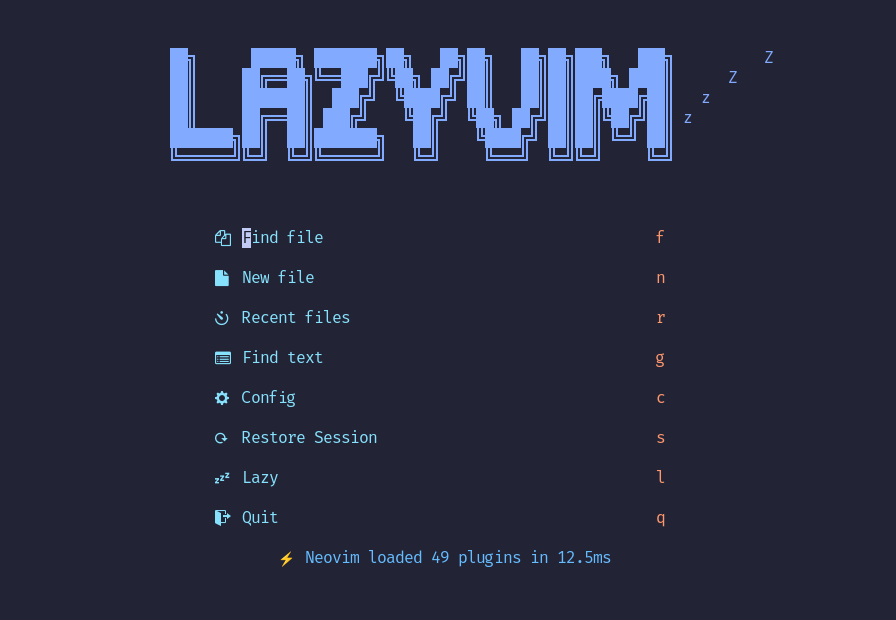 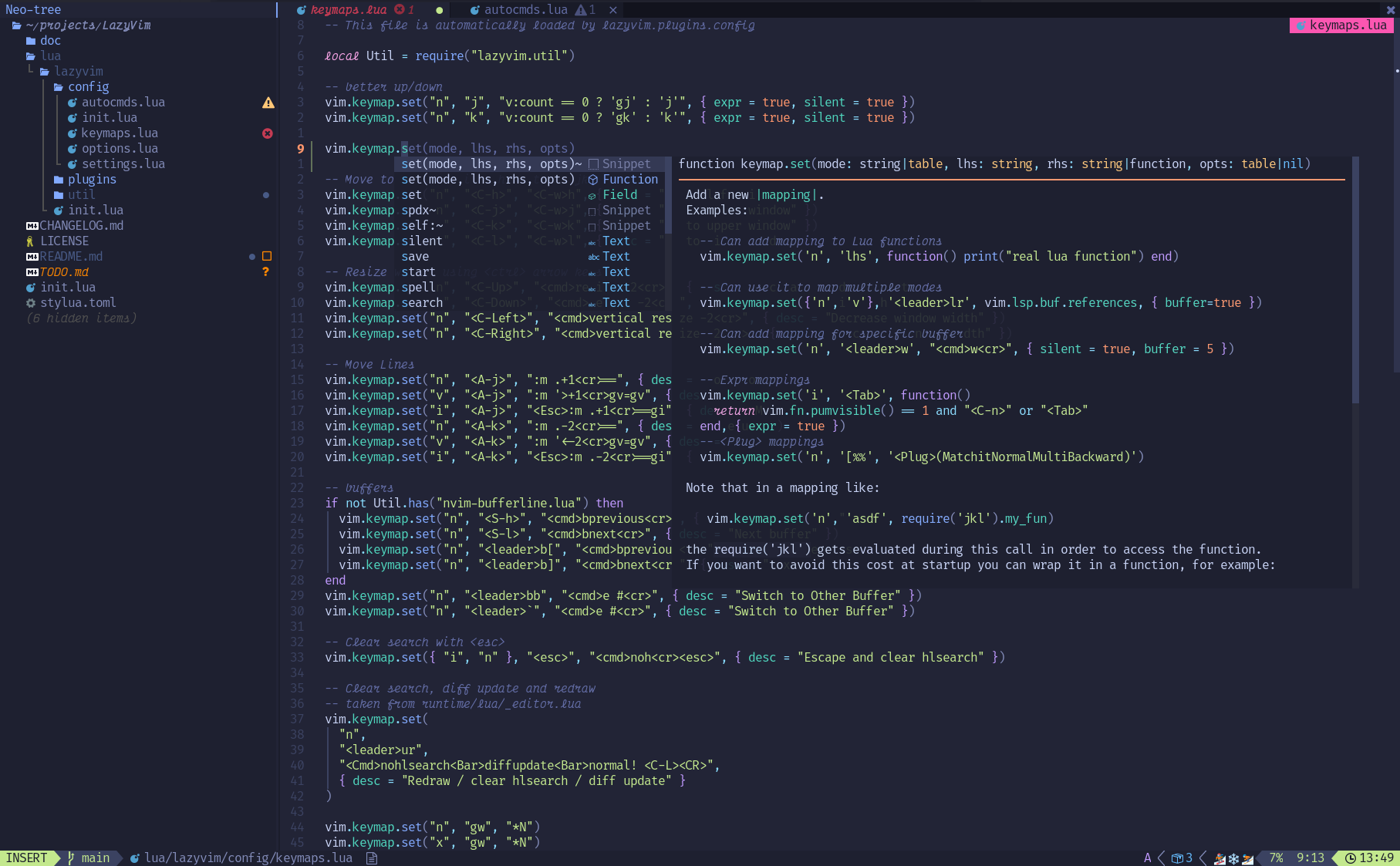 ## ✨ Funkcje - 🔥 Przekształć Neovim w pełnoprawne IDE - 💤 Łatwo dostosowuj i rozszerzaj swoją konfigurację dzięki [lazy.nvim](https://github.com/folke/lazy.nvim) - 🚀 Niezwykle szybkie działanie - 🧹 Przemyślane domyślne ustawienia opcji, autocmd i skrótów klawiszowych - 📦 Zawiera bogaty zestaw wstępnie skonfigurowanych wtyczek gotowych do użycia ## ⚡️ Wymagania - Neovim >= **0.9.0** (musi być skompilowany z **LuaJIT**) - Git >= **2.19.0** (dla obsługi częściowego klonowania repozytoriów) - [Nerd Font](https://www.nerdfonts.com/) **_(opcjonalnie)_** - Kompilator **C** wymagany dla `nvim-treesitter`. Szczegóły [tutaj](https://github.com/nvim-treesitter/nvim-treesitter#requirements) ## 🚀 Pierwsze kroki Szablon startowy dla **LazyVim** znajdziesz [tutaj](https://github.com/LazyVim/starter) <details><summary>Wypróbuj z Dockerem</summary> ```sh docker run -w /root -it --rm alpine:edge sh -uelic ' apk add git lazygit fzf curl neovim ripgrep alpine-sdk --update git clone https://github.com/LazyVim/starter ~/.config/nvim cd ~/.config/nvim nvim ' ``` </details> <details><summary>Zainstaluj <a href="https://github.com/LazyVim/starter">Starter LazyVim</a></summary> - Wykonaj kopię zapasową swoich obecnych plików Neovim: ```sh mv ~/.config/nvim ~/.config/nvim.bak mv ~/.local/share/nvim ~/.local/share/nvim.bak ``` - Sklonuj repozytorium startowe: ```sh git clone https://github.com/LazyVim/starter ~/.config/nvim ``` - Usuń folder `.git`, aby później móc dodać własne repozytorium: ```sh rm -rf ~/.config/nvim/.git ``` - Uruchom Neovim! ```sh nvim ``` W plikach znajdziesz komentarze, które pomogą Ci dostosować **LazyVim**. </details> --- [@elijahmanor](https://github.com/elijahmanor) stworzył świetne wideo z przewodnikiem, jak zacząć. [](https://www.youtube.com/watch?v=N93cTbtLCIM) [@dusty-phillips](https://github.com/dusty-phillips) napisał obszerną książkę [LazyVim for Ambitious Developers](https://lazyvim-ambitious-devs.phillips.codes), która jest dostępna za darmo online. ## 📂 Struktura plików Pliki w katalogu `config` są automatycznie ładowane w odpowiednim momencie, więc nie musisz ich ręcznie dołączać. **LazyVim** zawiera zestaw domyślnych plików konfiguracyjnych, które zostaną załadowane **_przed_** Twoimi własnymi. Szczegóły znajdziesz [tutaj](https://github.com/LazyVim/LazyVim/tree/main/lua/lazyvim/config). Możesz dodać własne specyfikacje wtyczek w katalogu `lua/plugins/`. Wszystkie pliki w tym folderze zostaną automatycznie załadowane przez [lazy.nvim](https://github.com/folke/lazy.nvim). <pre> ~/.config/nvim ├── lua │ ├── config │ │ ├── autocmds.lua │ │ ├── keymaps.lua │ │ ├── lazy.lua │ │ └── options.lua │ └── plugins │ ├── spec1.lua │ ├── ** │ └── spec2.lua └── init.lua </pre> ## ⚙️ Konfiguracja Zapoznaj się z [dokumentacją](https://lazyvim.github.io).




148 lines
5.8 KiB
Markdown
148 lines
5.8 KiB
Markdown
<div align="center">
|
||
<img src="https://user-images.githubusercontent.com/292349/213446185-2db63fd5-8c84-459c-9f04-e286382d6e80.png">
|
||
</div>
|
||
|
||
<hr>
|
||
|
||
<h4 align="center">
|
||
<a href="https://lazyvim.github.io/installation">Install</a>
|
||
·
|
||
<a href="https://lazyvim.github.io/configuration">Configure</a>
|
||
·
|
||
<a href="https://lazyvim.github.io">Docs</a>
|
||
</h4>
|
||
|
||
<div align="center"><p>
|
||
<a href="https://github.com/LazyVim/LazyVim/releases/latest">
|
||
<img alt="Latest release" src="https://img.shields.io/github/v/release/LazyVim/LazyVim?style=for-the-badge&logo=starship&color=C9CBFF&logoColor=D9E0EE&labelColor=302D41&include_prerelease&sort=semver" />
|
||
</a>
|
||
<a href="https://github.com/LazyVim/LazyVim/pulse">
|
||
<img alt="Last commit" src="https://img.shields.io/github/last-commit/LazyVim/LazyVim?style=for-the-badge&logo=starship&color=8bd5ca&logoColor=D9E0EE&labelColor=302D41"/>
|
||
</a>
|
||
<a href="https://github.com/LazyVim/LazyVim/blob/main/LICENSE">
|
||
<img alt="License" src="https://img.shields.io/github/license/LazyVim/LazyVim?style=for-the-badge&logo=starship&color=ee999f&logoColor=D9E0EE&labelColor=302D41" />
|
||
</a>
|
||
<a href="https://github.com/LazyVim/LazyVim/stargazers">
|
||
<img alt="Stars" src="https://img.shields.io/github/stars/LazyVim/LazyVim?style=for-the-badge&logo=starship&color=c69ff5&logoColor=D9E0EE&labelColor=302D41" />
|
||
</a>
|
||
<a href="https://github.com/LazyVim/LazyVim/issues">
|
||
<img alt="Issues" src="https://img.shields.io/github/issues/LazyVim/LazyVim?style=for-the-badge&logo=bilibili&color=F5E0DC&logoColor=D9E0EE&labelColor=302D41" />
|
||
</a>
|
||
<a href="https://github.com/LazyVim/LazyVim">
|
||
<img alt="Repo Size" src="https://img.shields.io/github/repo-size/LazyVim/LazyVim?color=%23DDB6F2&label=SIZE&logo=codesandbox&style=for-the-badge&logoColor=D9E0EE&labelColor=302D41" />
|
||
</a>
|
||
<a href="https://twitter.com/intent/follow?screen_name=folke">
|
||
<img alt="follow on Twitter" src="https://img.shields.io/twitter/follow/folke?style=for-the-badge&logo=twitter&color=8aadf3&logoColor=D9E0EE&labelColor=302D41" />
|
||
</a>
|
||
</div>
|
||
|
||
LazyVim to konfiguracja Neovim oparta na [💤 lazy.nvim](https://github.com/folke/lazy.nvim)
|
||
która ułatwia dostosowywanie i rozszerzanie konfiguracji.
|
||
Zamiast wybierać między rozpoczynaniem od zera a używaniem gotowej dystrybucji, LazyVim oferuje najlepsze z obu światów – elastyczność pozwalającą na dostosowanie konfiguracji do własnych potrzeb oraz wygodę wstępnie skonfigurowanego środowiska.
|
||
|
||

|
||
|
||

|
||
|
||
## ✨ Funkcje
|
||
|
||
- 🔥 Przekształć Neovim w pełnoprawne IDE
|
||
- 💤 Łatwo dostosowuj i rozszerzaj swoją konfigurację dzięki [lazy.nvim](https://github.com/folke/lazy.nvim)
|
||
- 🚀 Niezwykle szybkie działanie
|
||
- 🧹 Przemyślane domyślne ustawienia opcji, autocmd i skrótów klawiszowych
|
||
- 📦 Zawiera bogaty zestaw wstępnie skonfigurowanych wtyczek gotowych do użycia
|
||
|
||
## ⚡️ Wymagania
|
||
|
||
- Neovim >= **0.9.0** (musi być skompilowany z **LuaJIT**)
|
||
- Git >= **2.19.0** (dla obsługi częściowego klonowania repozytoriów)
|
||
- [Nerd Font](https://www.nerdfonts.com/) **_(opcjonalnie)_**
|
||
- Kompilator **C** wymagany dla `nvim-treesitter`. Szczegóły [tutaj](https://github.com/nvim-treesitter/nvim-treesitter#requirements)
|
||
|
||
## 🚀 Pierwsze kroki
|
||
|
||
Szablon startowy dla **LazyVim** znajdziesz [tutaj](https://github.com/LazyVim/starter)
|
||
|
||
<details><summary>Wypróbuj z Dockerem</summary>
|
||
|
||
```sh
|
||
docker run -w /root -it --rm alpine:edge sh -uelic '
|
||
apk add git lazygit fzf curl neovim ripgrep alpine-sdk --update
|
||
git clone https://github.com/LazyVim/starter ~/.config/nvim
|
||
cd ~/.config/nvim
|
||
nvim
|
||
'
|
||
```
|
||
|
||
</details>
|
||
|
||
<details><summary>Zainstaluj <a href="https://github.com/LazyVim/starter">Starter LazyVim</a></summary>
|
||
|
||
- Wykonaj kopię zapasową swoich obecnych plików Neovim:
|
||
|
||
```sh
|
||
mv ~/.config/nvim ~/.config/nvim.bak
|
||
mv ~/.local/share/nvim ~/.local/share/nvim.bak
|
||
```
|
||
|
||
- Sklonuj repozytorium startowe:
|
||
|
||
```sh
|
||
git clone https://github.com/LazyVim/starter ~/.config/nvim
|
||
```
|
||
|
||
- Usuń folder `.git`, aby później móc dodać własne repozytorium:
|
||
|
||
```sh
|
||
rm -rf ~/.config/nvim/.git
|
||
```
|
||
|
||
- Uruchom Neovim!
|
||
|
||
```sh
|
||
nvim
|
||
```
|
||
|
||
W plikach znajdziesz komentarze, które pomogą Ci dostosować **LazyVim**.
|
||
|
||
</details>
|
||
|
||
---
|
||
|
||
[@elijahmanor](https://github.com/elijahmanor) stworzył świetne wideo z przewodnikiem, jak zacząć.
|
||
|
||
[](https://www.youtube.com/watch?v=N93cTbtLCIM)
|
||
|
||
[@dusty-phillips](https://github.com/dusty-phillips) napisał obszerną książkę
|
||
[LazyVim for Ambitious Developers](https://lazyvim-ambitious-devs.phillips.codes),
|
||
która jest dostępna za darmo online.
|
||
|
||
## 📂 Struktura plików
|
||
|
||
Pliki w katalogu `config` są automatycznie ładowane w odpowiednim momencie,
|
||
więc nie musisz ich ręcznie dołączać.
|
||
**LazyVim** zawiera zestaw domyślnych plików konfiguracyjnych,
|
||
które zostaną załadowane **_przed_** Twoimi własnymi. Szczegóły znajdziesz [tutaj](https://github.com/LazyVim/LazyVim/tree/main/lua/lazyvim/config).
|
||
|
||
Możesz dodać własne specyfikacje wtyczek w katalogu `lua/plugins/`.
|
||
Wszystkie pliki w tym folderze zostaną automatycznie załadowane przez [lazy.nvim](https://github.com/folke/lazy.nvim).
|
||
|
||
<pre>
|
||
~/.config/nvim
|
||
├── lua
|
||
│ ├── config
|
||
│ │ ├── autocmds.lua
|
||
│ │ ├── keymaps.lua
|
||
│ │ ├── lazy.lua
|
||
│ │ └── options.lua
|
||
│ └── plugins
|
||
│ ├── spec1.lua
|
||
│ ├── **
|
||
│ └── spec2.lua
|
||
└── init.lua
|
||
</pre>
|
||
|
||
## ⚙️ Konfiguracja
|
||
|
||
Zapoznaj się z [dokumentacją](https://lazyvim.github.io).
|